Never lose your place. The pattern follows you.
Count rows with one big thumb button while a soft highlight moves through your PDF pattern. Undo any slip, track repeats and stitches, and keep everything on your phone.
Free. Works offline once opened. Nothing you enter leaves your device.
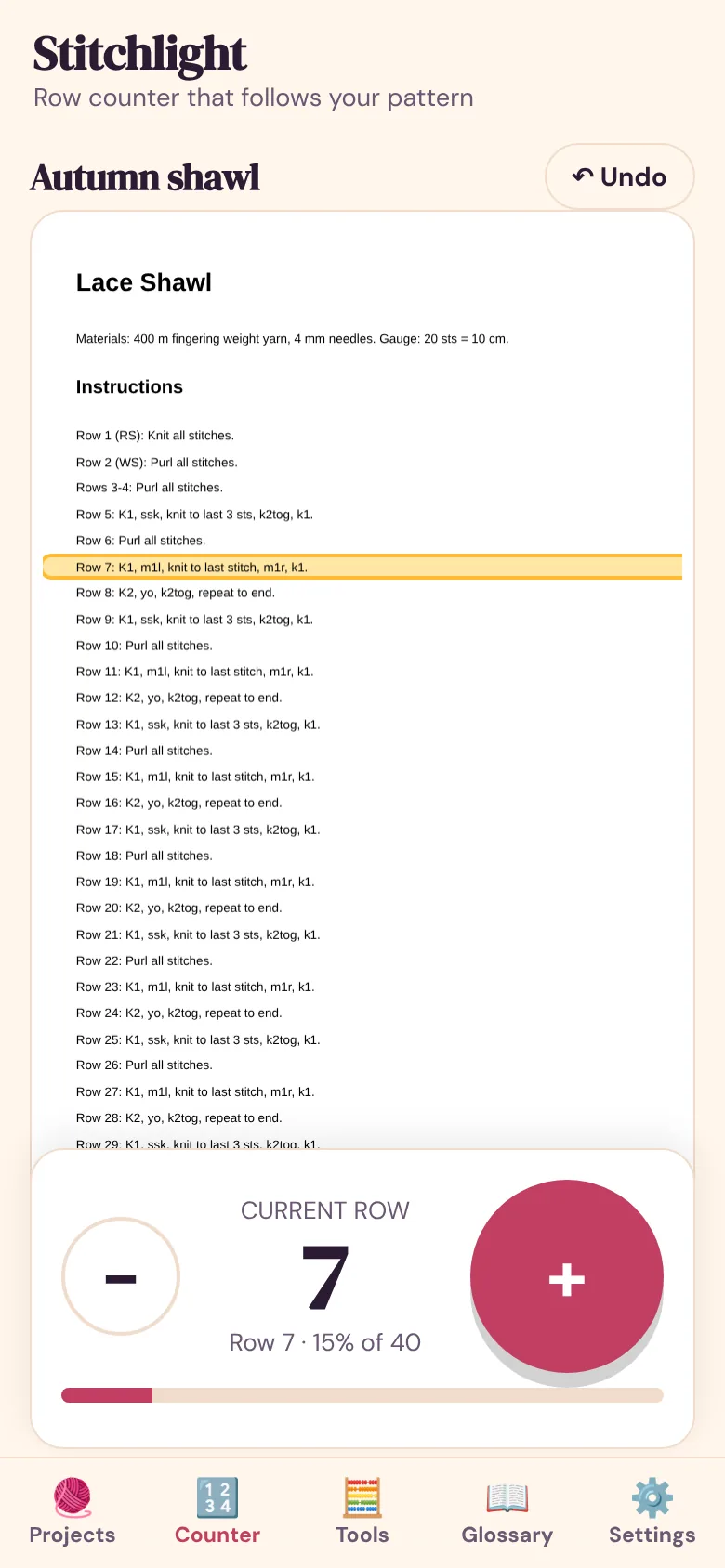
Where did I stop?
Lost rows after an interruption
A phone call, a child, a nap. Stitchlight saves every tap, so you pick up exactly where you left off.
Hunting through the PDF
Switching between a counter and a PDF breaks your flow. Here the highlighted row is on screen next to the button.
Counters that cannot undo
A mis-tap should cost a second, not an hour. Undo steps back through your taps, including row jumps.
A counter built for real knitting
Follow-line on your PDF
Attach a pattern PDF. The current row is highlighted on the page and its text is shown big under your thumb.
Undo that really works
Every tap is an event. Undo, Go to row and corrections never corrupt your count.
Repeats, stitches and a timer
Count pattern repeats, stitches within a row and the time spent on a project.
Increase and decrease calculator
Tell it how many stitches and how many to add or remove, and get an even distribution such as (k4, inc) × 11.
Gauge adjuster
Scale a pattern's stitch count to your own gauge.
63-term glossary
Knitting and crochet abbreviations with how-to steps and the usual mistake for each.
Project cards
Save a shareable image of your project progress.
Backup and restore
Export everything, including PDFs, to one file. Import it on another device.
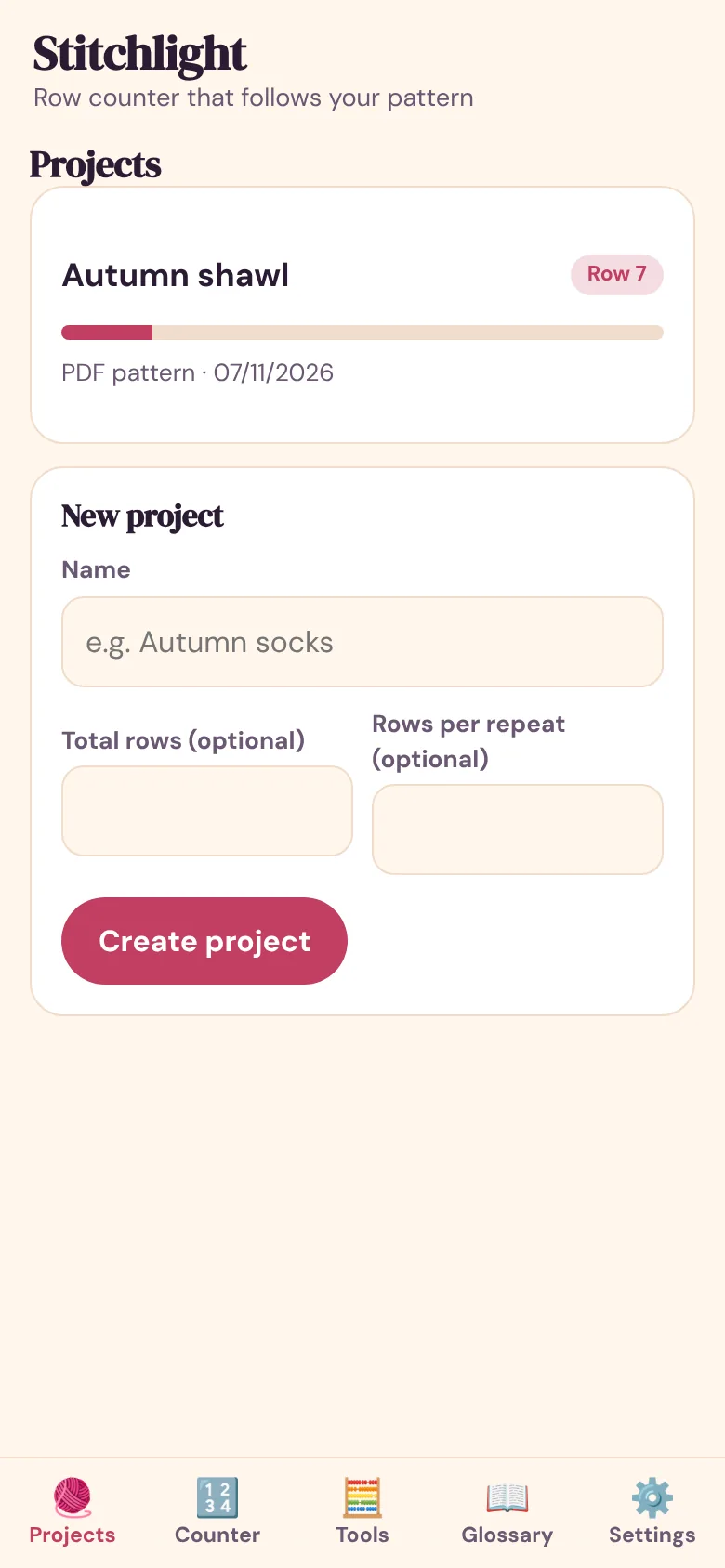
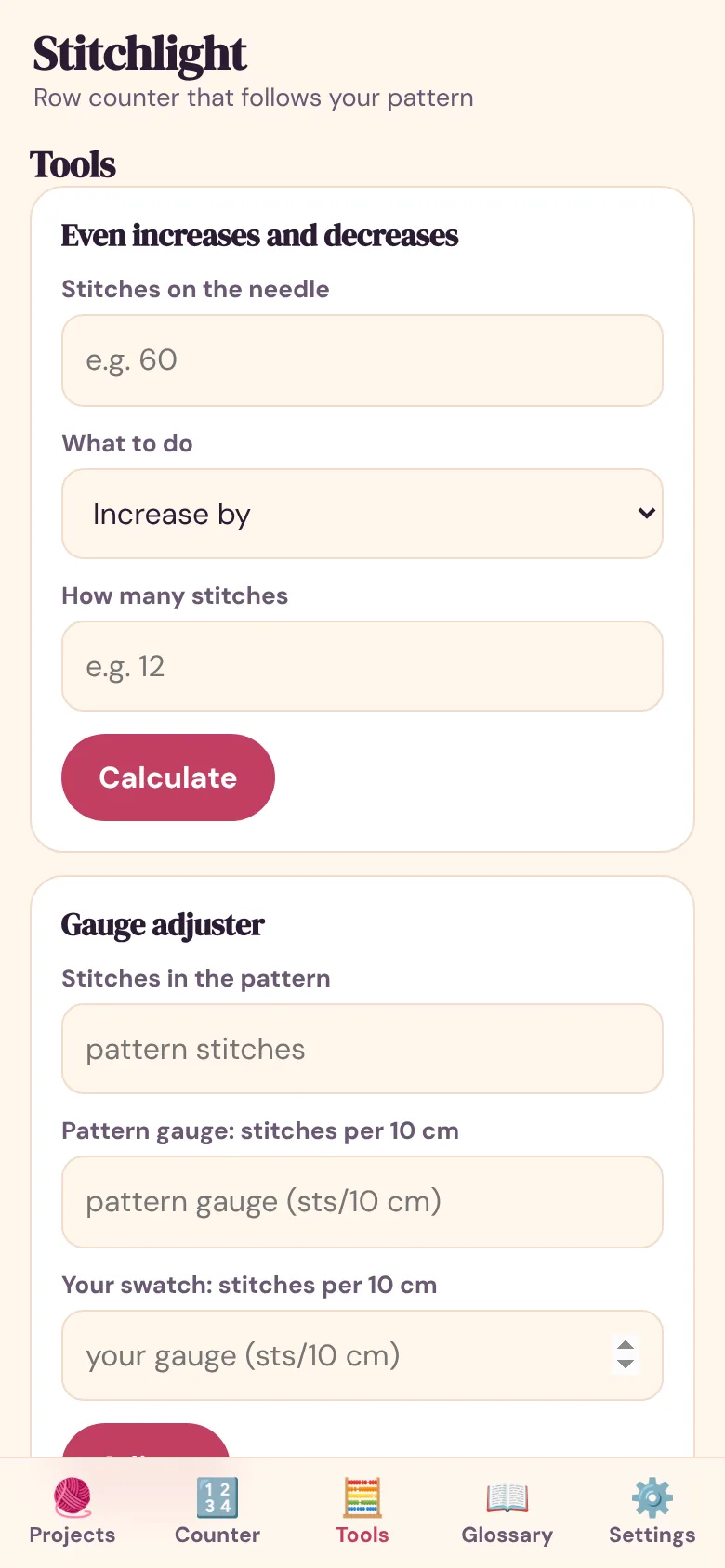
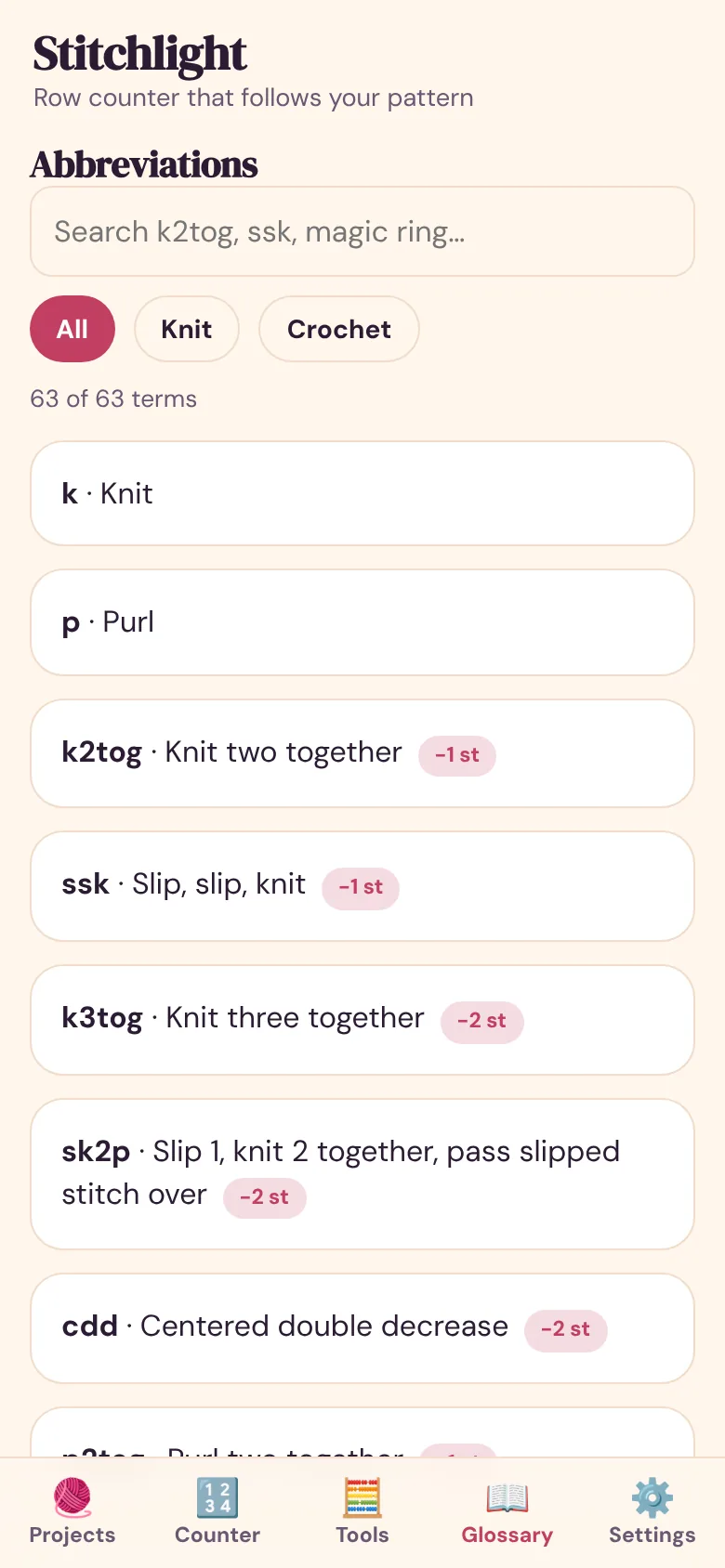
Screens are real screenshots of the web app, taken with sample data.
Install it in ten seconds
iPhone and iPad
Open this site in Safari, tap Share, then Add to Home Screen. It opens full screen and works offline.
Android
Open it in Chrome, tap the menu, then Install app (or Add to Home screen).
Computer
Just open the web app. In Chrome or Edge you can install it from the address bar.
1. Make a project
Name it, set a target row count and, if you like, a repeat length.
2. Attach your PDF
Pick the pattern file. Stitchlight finds the row lines and shows how many it found.
3. Tap and knit
Press + for each row. The highlight and the repeat counter follow. Undo any slip.
What you get today and what is still planned
The web app is a complete, working product. Native apps are planned for features a browser cannot do reliably. Dates are not promised.
| Capability | Web app today | Notes |
|---|---|---|
| Row counter with undo, repeats, stitches, timer | ✓ | All in the web app. |
| PDF Follow-line | ✓ | Works on text-based PDFs with row labels. |
| Calculators and 63-term glossary | ✓ | Included. |
| Offline and private | ✓ | No account, no upload. |
| Apple Watch counter with haptics | — | Planned for the native app. |
| iCloud sync between devices | — | Planned. Today, use backup export and import. |
FAQ
Is Stitchlight free?
Yes. The web app is free with no ads and no account. Your projects stay on your device.
What is Follow-line?
You attach a PDF pattern to a project. Stitchlight finds the row instructions in the PDF and highlights the one for your current row. Tap + and the highlight moves to the next row. If the PDF has no row labels it tells you instead of guessing, and you can link rows by hand.
Which PDFs work best?
Patterns where rows are written as lines starting with a label such as Row 5, R5, Rnd 5, Round 5, or numbered 1. 2. 3. Multi-row labels like Rows 3-4 are supported. Scanned pictures of patterns have no text to find, so Follow-line cannot read them.
Is my pattern PDF uploaded anywhere?
No. The PDF is read on your device and stored in your browser's own database. Nothing is sent to any server.
Can I undo a mistake?
Yes. Every tap is saved as an event, so Undo steps back one action at a time, including Go to row. You can also use the keyboard: Space adds a row, Backspace undoes.
Does it do knitting and crochet?
Yes. The counter works for any craft. The glossary has 63 terms, 46 for knitting and 17 for crochet, and the calculators suit either.
Is there an Apple Watch app?
Not yet. It is planned for the native app. The web app is made for large thumb taps and works on any phone.
Will I lose my projects if I clear my browser?
Yes, local data is removed with site data. Use Settings, Export backup to save everything, including your PDFs, to a file and import it later.
Want the native app with Apple Watch?
Native iOS and Android apps are planned. Leave your email and you will get one message when they are ready. Nothing else.
One email when the native app is ready. No spam. Delete yourself any time via the contact page.